Install
Apps built with this package are progressive web apps (PWA). They are out of the box installable, which mean they can run in their own window and can be pinned on the dock, taskbar, or home screen.
Desktop
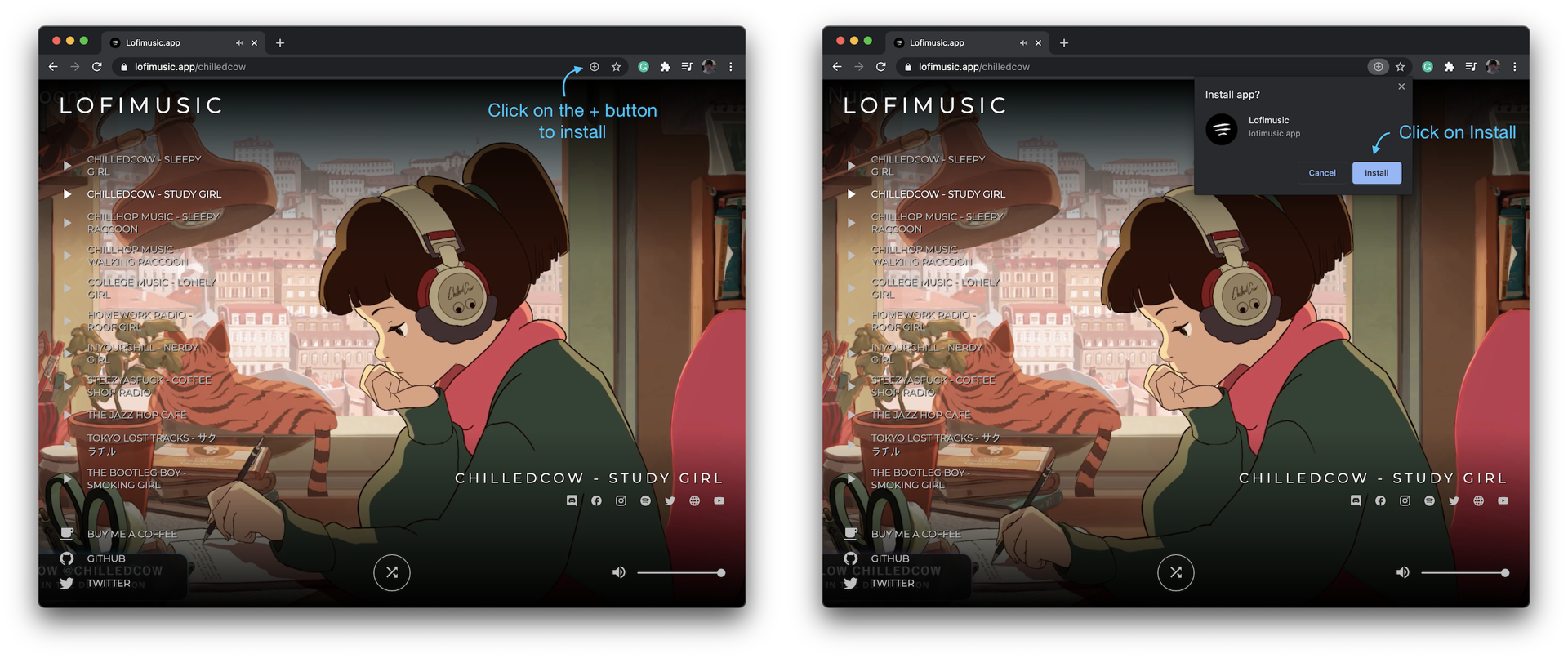
- Open the app in Chrome or Edge
- Click on the
+button on the right inside the search bar - In the install popup, click on the
Installbutton
IOS
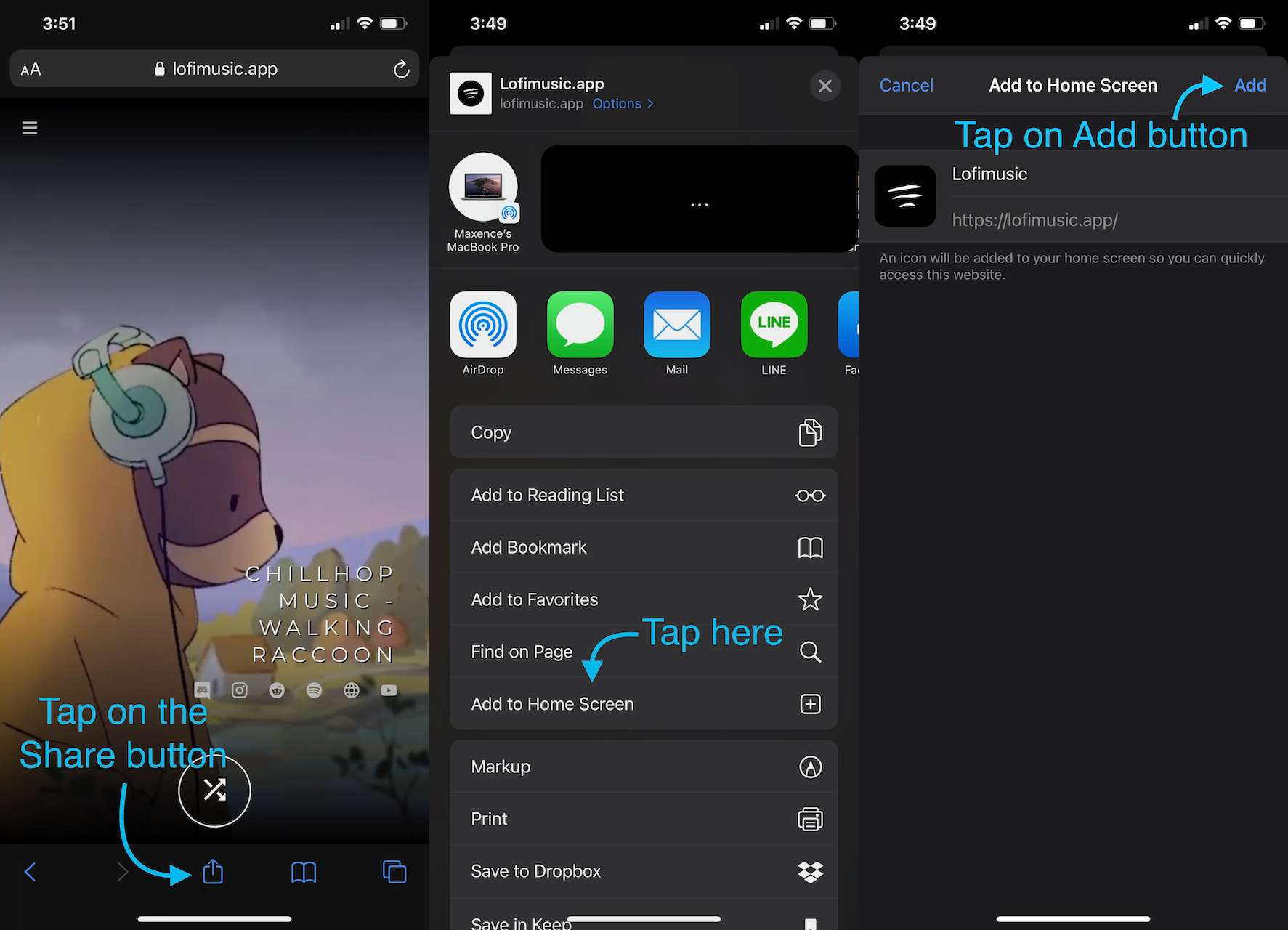
- Open the app in Safari
- Tap on the
Sharebutton - Scroll and tap on the
Add to Home Screenbutton - Tapp on the
Addbutton
Android
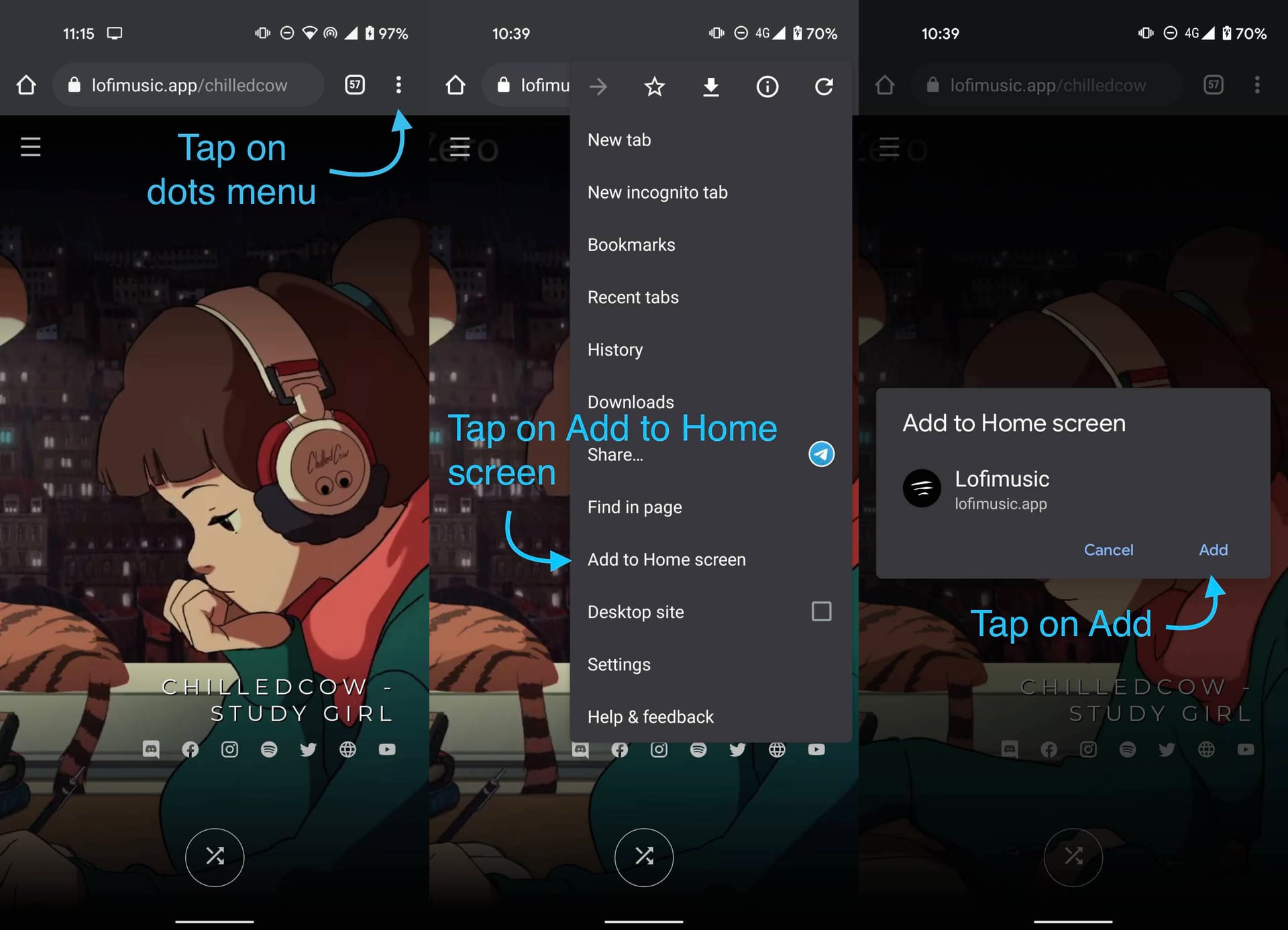
- Open the app in Chrome
- Tap on the
dot menubutton - Tap
Add to home screenbutton - Tapp on the
Addbutton
